
I’m Not Receiving Job Alerts
- If you’re not seeing new job alerts, don’t worry — it usually comes down to a quick fix. Here are a few things you can check to get your alerts flowing again.
-
Steps to Try
- Check your Alert Preferences
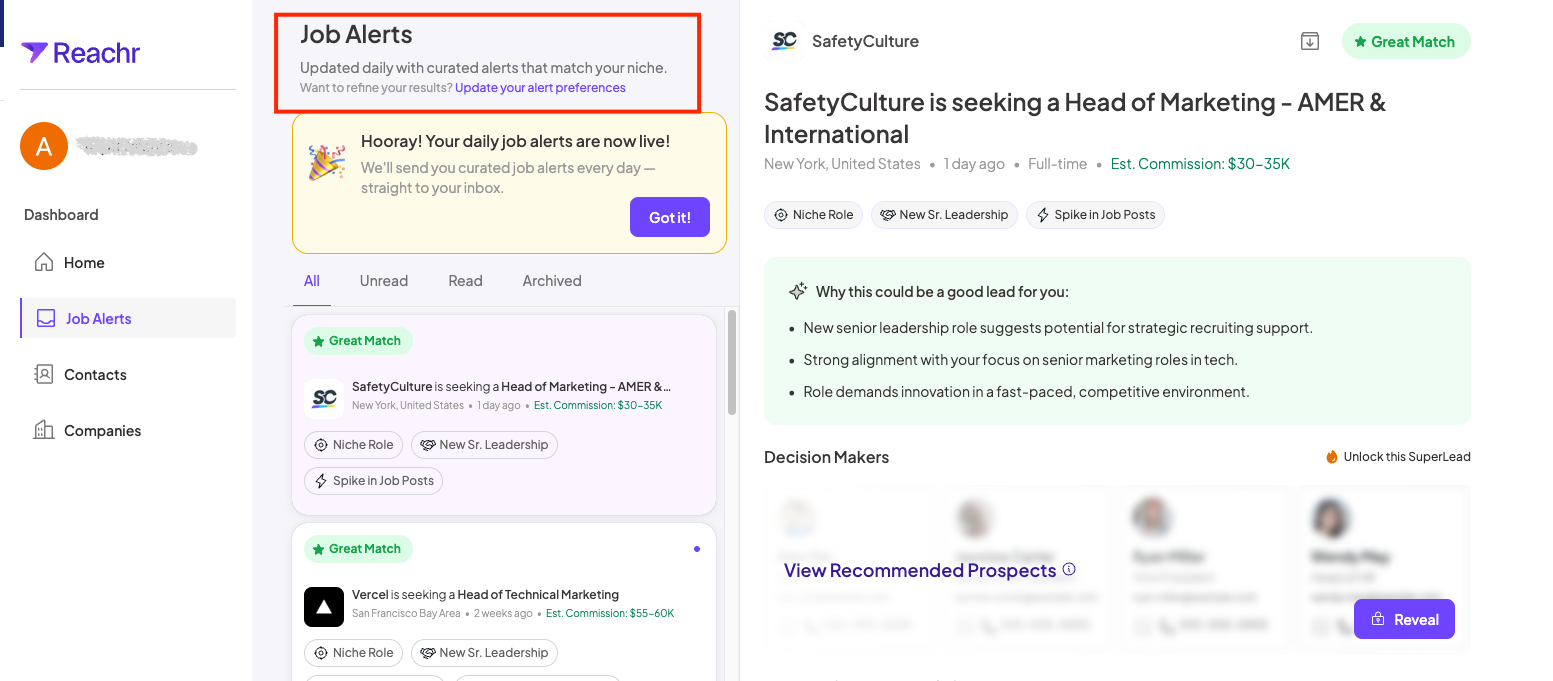
- Go to Dashboard→ Job Alerts
- Job Alerts→Update your alert preferences
- If you didn’t finish the survey, alerts won’t generate properly.
- Check your Alert Preferences
- Review your notification settings
-
Open Settings → Notifications to confirm that email alerts are turned on.
Look in your spam folder
-
Sometimes alert emails land in spam. Add
alerts@reachr.comto your safe senders list.Allow time for refresh
- Alerts update once every 24 hours. If you just signed up, it may take a day to see your first set.
-
-
Pro Tip
💡 Still nothing after 48 hours? Reach out to us via support — we’ll take a closer look at your account to make sure everything is set up correctly.